



A JavaScript (also known as JScript) malware loader called GootLoader has been observed using malicious ZIP archives designed to evade detection efforts by concatenating 500 to 1,000 archives.
“Adversaries are creating fraudulent archives as an anti-analysis technique,” Aaron Walton, a security researcher at Expel, said in a report shared with Hacker News. “In short, while many decompression tools consistently fail to extract files, one important decompression tool seems to work consistently and reliably: the default tool built into Windows systems.”
This prevents tools such as WinRAR and 7-Zip from processing the archive, and many automated workflows from analyzing the file contents. At the same time, it can be opened with the default Windows unarchive, allowing victims of social engineering schemes to extract and run JavaScript malware.
GootLoader is typically distributed via search engine optimization (SEO) poisoning tactics and malvertising, targeting users looking for legitimate templates and redirecting them to compromised WordPress sites that host malicious ZIP archives. Like other loaders, it is designed to deliver secondary payloads, including ransomware. This malware has been detected in the wild since at least 2020.

In late October 2025, malware campaigns propagating malware resurfaced with new techniques. It leverages a custom WOFF2 font with glyph substitution to obfuscate filenames and exploits the WordPress comments endpoint (‘/wp-comments-post.php’) to deliver a ZIP payload when a user clicks the site’s ‘Download’ button.
Expel’s latest findings highlight the continued evolution of delivery methods, with attackers employing more sophisticated obfuscation mechanisms to evade detection.
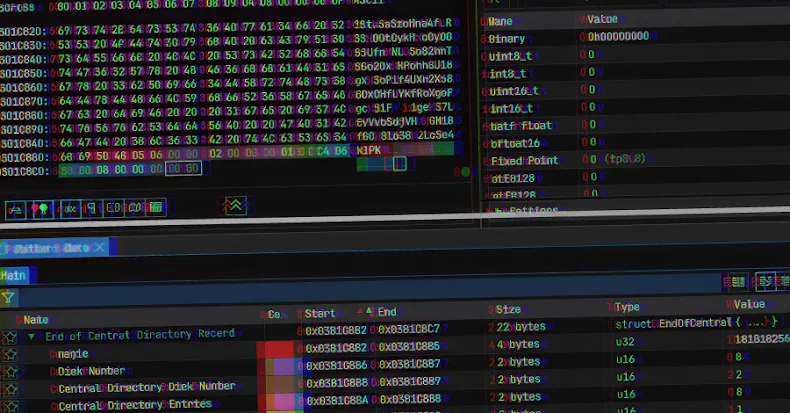
Concatenates 500 to 1,000 archives to create a malicious ZIP file Truncates the archive’s End of Central Directory (EOCD) record, missing two critical bytes from the expected structure, causing parsing errors Randomizes the values of non-critical fields such as disk number and number of disks, causing unzipping tools to expect a series of ZIP archives where none exists

“Concatenating a random number of files and filling certain fields with random values is a defense evasion technique called ‘hashbusting,'” Walton explained.
“In reality, every user who downloads a ZIP file from GootLoader’s infrastructure will receive a unique ZIP file, so looking for its hash in other environments is futile. GootLoader’s developers use hashbusting for ZIP archives and the JScript files they contain.”
The attack chain essentially involves a ZIP archive being delivered as an XOR encoded BLOB. This blob is decoded and appended repeatedly on the client side (i.e., the victim’s browser) until it reaches a set size, effectively bypassing security controls designed to detect ZIP file submissions.

As soon as the downloaded ZIP archive is double-clicked by the victim, Windows’ default unzipping feature opens the ZIP folder containing the JavaScript payload in File Explorer. Launching a JavaScript file triggers its execution via ‘wscript.exe’ from a temporary folder, as the file contents are not explicitly extracted.
The JavaScript malware then creates a Windows Shortcut (LNK) file in the startup folder to establish persistence and finally uses cscript to run a second JavaScript file and generate PowerShell commands to proceed to the next stage of the infection. Previous GootLoader attacks used PowerShell scripts to gather system information and receive commands from remote servers.
To combat the threat posed by GootLoader, organizations are encouraged to consider blocking ‘wscript.exe’ and ‘cscript.exe’ from running downloaded content when not required, and consider using Group Policy Objects (GPOs) to ensure that JavaScript files are opened in Notepad by default rather than being executed via ‘wscript.exe’.