
I put Google’s 24/7 AI assistant Gemini Spark to work, and it’s actually quite useful.
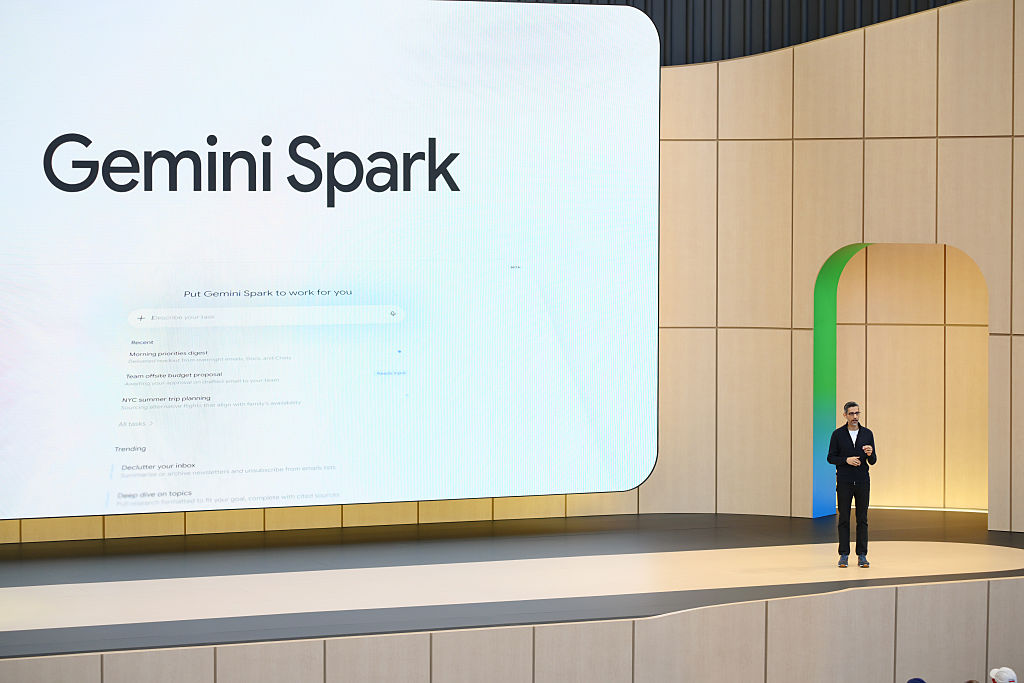
Gemini Spark is Google’s new 24/7 agent assistant designed to help you “navigate your digital life.” That means finishing things you need to do online, summarizing things you don’t have time to read (like your entire inbox), and organizing things that take up screen time and are too manual, like spreadsheets for your personal expenses.
The service was first introduced at Google’s annual developer conference in May, where CEO Sundar Pichai joked that Spark running on a virtual machine in the cloud meant “yes, you can close your laptop.” The joke here is that he’s comparing Spark to other agent AI systems, such as the popular OpenClaw, which requires the machine to remain awake to perform tasks.
What he suggests is that Spark is an agent AI for the rest of us, those who want to set up an always-on AI machine to get things done without having to think about it.
In fact, Spark is still designed for work-related tasks, as it integrates with Google’s productivity apps like Gmail, Calendar, Docs, Sheets, and Slides. (After all, how many times in your personal life do you have your deck ready? Unless you’re a Gen Z creator explaining the latest meme to a chronically offline friend?)
Google is also having a bit of a hard time finding examples that would convince anyone that Spark is a “must-have” tool rather than a “nice-to-have” tool for personal use.
Among the “personal productivity” suggestions is to use Spark to scan your email and calendar for the day and send you a summary of your top three to-do tasks. This already assumes that you’re someone who writes down to-dos in a calendar or email app instead of a notepad (virtual or otherwise), or simply keeps a running list in your head. (Example: Buy prescriptions and shampoo at Walgreens. Buy more dog food. Go out with friends on Saturday.)
Google also suggests that you can use Spark as a weekend planner by drafting a Google Doc that “suggests three free activities based on open calendar blocks for the upcoming weekend,” but again, this assumes you’re some kind of schedule geek in your offline life.
Nevertheless, since I had early access to Gemini Spark, I decided to put it through its paces, perhaps with a few real-world suggestions of my own. I was surprised that while this is a fairly useful implementation of consumer AI, it doesn’t deserve its own brand.
find savings
One of my first tasks was to ask Spark to help me with some shopping-related research. The idea was to help people make daily trips to their local drugstore to buy everyday necessities, so they asked Spark to suggest products based on weekly sales and clippable coupons.

Initially, Spark seemed to be doing pretty well here, as it told me exactly what products were on sale that fit my needs and suggested coupons to clip into the Walgreens app for additional savings. If you order online for pickup and plan to spend more on personal care items, it was also suggested that you can combine online promo codes to stack coupons on one item.
However, as is often the case with AI, the devil was in the details. When I tried it, one of the promo codes was invalid, even though it met the requirements requested by the AI. Still, Spark taught me other ways to save money, including buy-one-get-one-free perks and perks, that made up for this gaffe.
Plan your day trip packing list
In another test, I asked Gemini to help me create a packing list for a day trip out of town. I checked the weather, gathered event details, and asked them to suggest things to bring like sunscreen and water to see what they would come up with after learning more about the activity. I asked them to import the final list into Google Keep.

What do you think Spark can’t do? Use Google Keep.
This is a huge oversight, considering Google’s Notes app is essential in the personal productivity space. Instead, they created a document or suggested an email draft. Because, admittedly, that’s the kind of thing I want to check off on my packing list. (??)
But as for the list itself, Sparks was spot on, suggesting a lawn chair or blanket, water, sunscreen, sunglasses, a light jacket for when the sun goes down, a reusable shopping bag, and an umbrella in case there might be a light rain that day. I was also reminded that even though it was an outdoor event, dogs were not allowed. (Sorry, Princess!)

Summer camp/activity suggestions
My kids are getting older and can no longer attend kids’ summer camps (and I should probably get a job), but before I go down that path, I wanted to explore the local area to see if there were any summer activities that my teens could participate in in addition to the engineering camp in June. I asked Spark to do a thorough search to find any suggestions, keeping in mind that you don’t want to drive more than about 30 minutes.

Spark has created a good list of activity ideas that match your child’s interests and mapped out how far they are from home. Unfortunately, I forgot to ask Spark to retrieve the cost and dates of the program, and Spark didn’t bother to tell me. That meant I had to do some more manual research myself.

Recurring task: Summarize newsletter from email
Like many people, I subscribe to too many newsletters, so I use Spark to prepare weekly summaries that arrive every Friday. This summary highlights only the top 5 posts and can’t-miss articles, with links included.

The AI started working, looked through my inbox, and immediately gave me a summary of some interesting articles to read, with context and links. (The link ended up redirecting to Google.com, but it didn’t work. It didn’t automatically take me to the site in question, so I had to click the link that appeared on the redirect page.) I was generally happy with the suggestion, but Spark only returned four articles to read when I requested five. For some reason, Spark interpreted this request as “4-5”.
Recurring events: Suggest weekend activities
In another request, I asked Spark to create a list of weekend activities around town on Friday so I could plan my weekend fun. Living in a small city means there aren’t always big events and activities going on, so it’s important to make sure you don’t miss any of the anticipated street festivals or notable shows happening in your city. But there’s no single source where you’ll find everything there is to do. You should read multiple local newsletters, visit websites and Facebook groups, and read newspapers online.

Instead, Spark set up a web search and (at my request) combined it with a Gmail search for a list containing the keyword that suggested relevant local newsletters, digests, or local activities. It then compiled a list of upcoming weekend events and said all you had to do was reply if you wanted to add them to your calendar.
If it weren’t for Spark, I would never have known that the annual Beaver Queen Pageant was being held nearby. Apparently people wearing beaver costumes are raising money for wetland protection. Ok, maybe you should check that. (You still have to tell Spark to add it and click a button to confirm, but it’s easier than the manual process of loading so many sources to get an idea.)
Recurring event: Check for price drops

As a final request, I configured Gemini Spark to track price drops on expensive eye creams. As a penny-pincher, I would never buy unless there was a crazy sale. I wanted Spark to track price changes and notify me when an eye cream became more affordable. However, Spark’s interpretation of this request was to simply recheck the price every two weeks to see if it fell below my target. I’m not sure if that’s frequent enough to find a deal. (I’ll update if the results are successful, but I think we set the bar too low as a goal, even after raising the bar another $10. So for now, this is probably just wishful thinking. But I always hope that online retailers will get their pricing wrong at some point.)
More ideas coming
You can already see how you can integrate Spark into your daily life in other ways as well. For example, you already have ideas for more email monitoring and cleanup tasks. The next time I change the air filter in my house, I’m going to ask Spark to do it within 3 months. If I end up taking a vacation, I’ll probably end up doing some work at that time as well.
There is room for improvement
Spark was already working pretty well for my task, with only minor doubts, but the biggest criticism I felt was that it didn’t need to be a standalone product from another brand. There’s so much going on in the field of AI that every new model has its own name and number, and some are pretty wild. (Nano banana, anyone?)

Instead of making Spark its own product, why not pitch Gemini as something you can do out of the box? Why does the toggle say “Switch to Spark” instead of just “Switch to Task”? (Even though it deserves its own space in the user interface!) I personally don’t want to go through the mental burden of determining whether something is a question or a task. All you have to do is enter your question or request and complete it.
I also think the lack of Keep integration is a major flaw when it comes to improving personal productivity. Google Docs is overkill as a packing list. And unfortunately for iPhone users, it won’t be possible to utilize Gemini Spark directly from your device by pressing a hardware button or using a gesture – unless Apple announces this at next month’s WWDC? Instead, you’ll have to launch the Gemini app and use it from there. (Another problem with using Spark as its own toggle within Gemini is that you can’t program the iPhone’s activity button to go directly to Spark, which is separate from Gemini’s chatbot interface. How cool would it be if all of Gemini’s operations were rolled into one destination! Hmm!)
And while Spark will be able to do even more later with MCP integration, the inability to configure it to perform specific tasks, such as making regular reservations at your favorite date-night restaurant through Resy or finding flights through Preferred Booking Engine, makes Spark feel a little lacking for now, given that not everything you do online happens in Google’s universe of services.
(I’d also like to be able to text Spark. I wish that was an option as well.)
If you buy through links in our articles, we may earn a small commission. This does not affect editorial independence.
Source link

