
SpeakOn’s dictation device is a good idea, but marred by platform limitations
I always use dictation apps like Wispr Flow, Willow, and Typeless to respond to messages and emails on both my Mac and my phone. But that requires me to dictate my message using my phone’s microphone or AirPods, and they often can’t hear what I’m saying.
That’s why when Notta’s SpeakOn invited me to test a dedicated dictation device, I was intrigued by the possibilities. Unfortunately, I had mixed experiences with this product due to its form factor and platform limitations.
Still, I think there is room for dictation devices like this in the future.
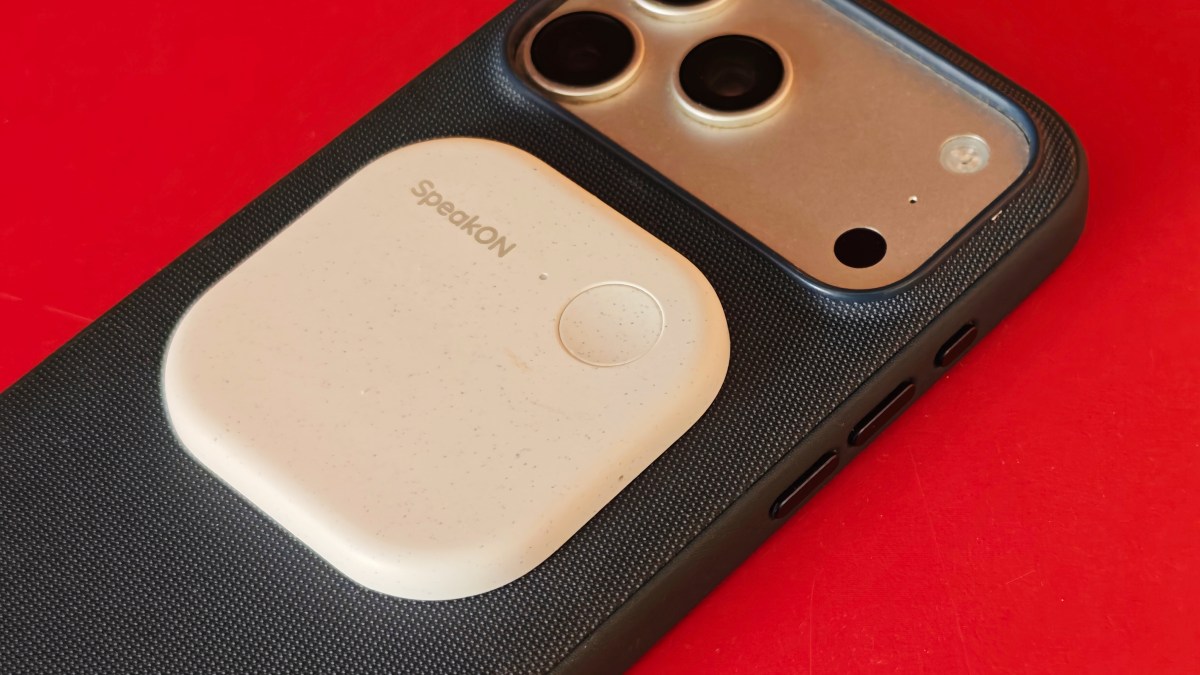
SpeakOn is a small pebble-like device that you can stick to the back of your iPhone via MagSafe, much like Plaud’s AI meeting note-taking tool. The weight of the main unit is very light at 25 grams, so you won’t feel the weight even if you put it alone in your pocket.

The device, like other dictation apps, comes with a companion app on iOS in the form of a keyboard. If you prefer, you can also use the app without connecting your device.
To get started, press the button on your device to start dictating, then release the button when you’re done. The device has a single microphone and claims to be able to capture audio from a distance of up to 2 feet. Dictation works in any app as long as the software keyboard is active. When the app removes filler words, the audio is automatically filtered and the text output can be formatted as a list if desired.
One advantage is that the device doesn’t use the iPhone’s microphone, instead relying on its own microphone. Other dictation apps require the iPhone’s microphone to remain active based on a user-defined session duration. SpeakOn devices can help you avoid that.
My complaint with the SpeakOn device is that even though it has a dedicated microphone, it doesn’t pick up audio very well unless you bring the phone within about 2 feet. And even within that range, microphone performance is often degraded by ambient noise. I hope the next version will improve the quality of the microphone.
Also, if I’m using a text keyboard, I’d like the SpeakOn keyboard to come to the forefront when I double tap the record button. Or it would be nice if I could just start talking without switching keyboards, but these are system-level limitations and probably difficult to overcome.
The app changes the AI editing and tone based on the app you’re using, but you can also change it manually. At times, the editing felt forced and unnecessary. For example, if you say “Does this app work automatically?” the app converts it to “Does this application work automatically?” In another example, the app changed the word “complicated” to “difficult” and “Of course, don’t worry” to “don’t worry.” I don’t want or need this kind of editing. I ended up turning off the “attune” tone change feature for better results.
I also would have gotten more use out of the device if it were Mac compatible and allowed voice input into any app.

In addition to transcription, users can tap the Translate button to automatically translate audio into supported languages, including English, Japanese, Korean, Simplified Chinese, Traditional Chinese, Spanish, French, German, Italian, Portuguese, Russian, and Arabic.
SpeakOn says the device can be used for 10 hours straight and has 20 days of standby time. However, in my experience, the standby time was only a few days, not 20 days. By default, the device is never powered off. To save battery, we recommend adjusting settings so that your device powers off after several hours of inactivity.
The device can be fully charged from 0 percent to 100 percent within an hour. However, you can always plug it in for a few minutes and get enough audio for extended dictation.
The device costs $129 and comes with a plan that allows you to dictate 5,000 words per week. Other apps like Wispr Flow typically allow 2,000 words per week on their free plan. There is also a $12/month plan with unlimited words.
SpeakOn has the advantage of being first mover in releasing dictation devices. However, there is a need to expand platform support and improve the software experience. That’s because another company could easily source the components, put them in a different form factor, and eat into your market share.
If you buy through links in our articles, we may earn a small commission. This does not affect editorial independence.
Source link

